
Flying Bird VR1.2 - Google Play
You'll be able to see results in few seconds.
Publisher Description
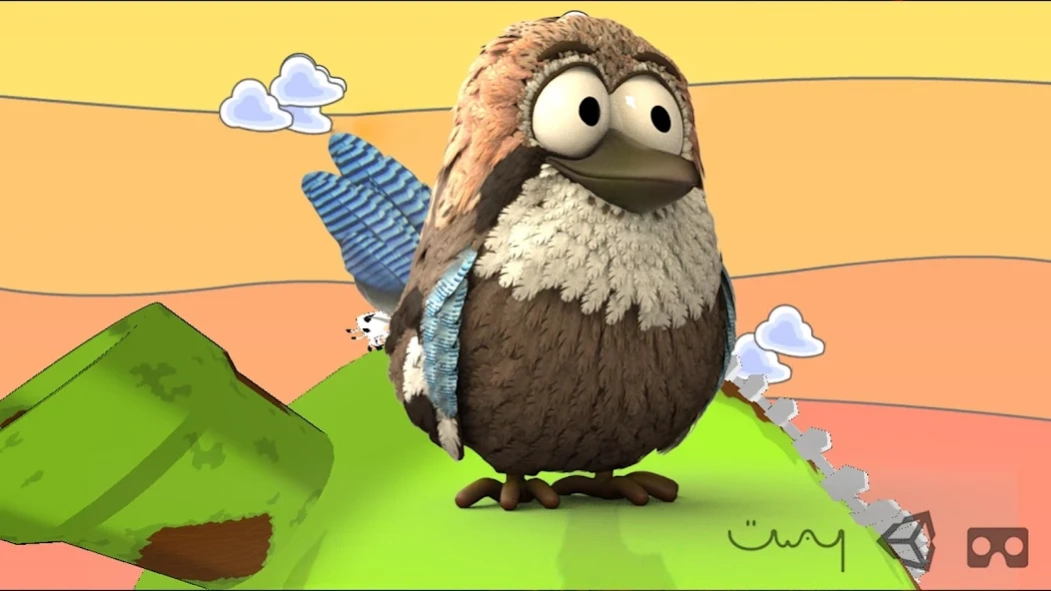



Be the Flying bird!
[ Important Note ]: This game is built with very special way that you can enjoy the virtual reality in very AWESOME experience.
- This app will only work on powerful handsets due to the high-quality 3D graphics. Further support information listed at the bottom. For any enquiries please contact me via the support email.
----
Be the Flying bird!
Requires Google Cardboard VR Headset. Flying Bird VR utilises the immersive power of Google Cardboard and your mobile device to create the experience of you being the protagonist of a bird flying.
Warning:
- Not for those with heart conditions or underlying health concerns.
- Please DO NOT play this game if you are afraid of the height and fly!
Features:
- Endless levels
- Free fly
- Awesome 3D virtual reality graphics
- Made for Cardboard Headset for VR experience.
Notes and Support:
- To create a more immersive experience with high-quality graphics the app is designed for NEXUS 5 and up, I cannot guarantee support for lower spec devices, the below list notes handsets which have noted issues.
Problems reported on:
- Will keep you update asap.
This app will only work in Google Cardboard or similar device, the screen is split and not playable without lenses. Screenshots are for indicative purposes and do not show split screen view.
Support channels:
- Website:
http://play.smilecardboard.com/flying-bird-vr/
http://www.smilecardboard.com
- Forum: http://forum.smilecardboard.com/en-US/
- Email: support@smilecardboard.com
About us:
Mixcore Studio team:
- Product Lead: Huy Nguyen
- Product Manager & Product Designer: Si Nguyen
- Business Partner: Anh Nguyen
- Unity Developer: Duy Tran
About Flying Bird VR
The company that develops Flying Bird VR is Mixcore Studio. The latest version released by its developer is 1.2.
To install Flying Bird VR on your Android device, just click the green Continue To App button above to start the installation process. The app is listed on our website since 2016-09-24 and was downloaded 0 times. We have already checked if the download link is safe, however for your own protection we recommend that you scan the downloaded app with your antivirus. Your antivirus may detect the Flying Bird VR as malware as malware if the download link to com.smilecardboard.play.flyingbirdvr is broken.
How to install Flying Bird VR on your Android device:
- Click on the Continue To App button on our website. This will redirect you to Google Play.
- Once the Flying Bird VR is shown in the Google Play listing of your Android device, you can start its download and installation. Tap on the Install button located below the search bar and to the right of the app icon.
- A pop-up window with the permissions required by Flying Bird VR will be shown. Click on Accept to continue the process.
- Flying Bird VR will be downloaded onto your device, displaying a progress. Once the download completes, the installation will start and you'll get a notification after the installation is finished.
Program Details
System requirements
Download information
Pricing
Version History
version 1.2
posted on 2016-09-25
Disclaimer
Official Google Play Link
We do not host Flying Bird VR on our servers. We did not scan it for viruses, adware, spyware or other type of malware. This app is hosted by Google and passed their terms and conditions to be listed there. We recommend caution when installing it.
The Google Play link for Flying Bird VR is provided to you by apps112.com without any warranties, representations or guarantees of any kind, so access it at your own risk.
If you have questions regarding this particular app contact the publisher directly. For questions about the functionalities of apps112.com contact us.
